Best STEM Gifts for Teens in 2026 — Actually Cool Picks
Updated October 2026. We tested and researched dozens of STEM kits so you don’t have to. Most guides on this topic are written by people who’ve never touched a breadboard. This one isn’t. We’re makers who’ve built projects with nearly everything on this list, and we’ve talked to the teens who use this stuff every day.
This guide is organized by budget — because that’s how most people actually shop for gifts. Every pick includes an honest note about who it’s right for (and who it isn’t). No hype, no padding.
Jump to: Under $25 · Under $50 · Under $100 · $100+ Premium · FAQ · Comparison Table
Under $25
The sweet spot for “test the interest” gifts — or stocking stuffers that actually do something.
BBC Micro:bit V2 GO Bundle — ~$22
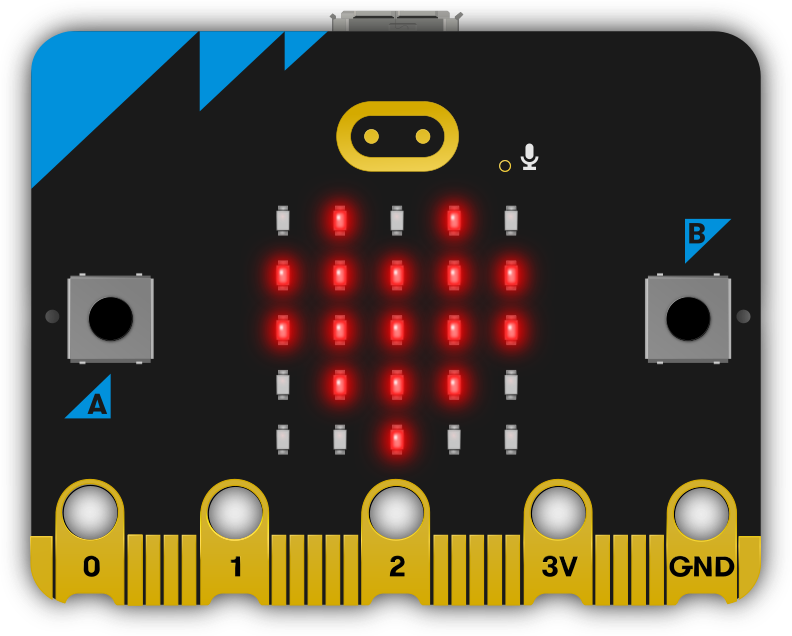
Best for absolute beginners. Test the interest before going bigger.
The Micro:bit is a credit card-sized microcontroller designed for education. It has LED matrix display, buttons, a built-in accelerometer, compass, radio module, and Bluetooth — all on a board the size of your palm. The GO bundle includes the board, battery pack, and USB cable. That’s everything needed to start.
Programming happens in a browser. Microsoft MakeCode gives you drag-and-drop blocks that convert to real JavaScript or Python with one click. There’s nothing to install, nothing to configure. Within 20 minutes of opening the box, most beginners have their first project running.
What they can build: step counter, magic 8-ball, rock-paper-scissors game, simple radio messenger between two Micro:bits, temperature monitor, digital compass.
Who it’s for: Ages 10–14, total beginners, kids who’ve done Scratch and want to move into physical computing. Teachers love it because the transition from visual blocks to real Python is built directly into the toolchain.
Be honest: It’s designed for learning, not showing off. The LED matrix is 5x5 red dots — it’s not going to wow anyone on looks alone. If your teen is already coding and wants something that feels more like a “real” device, skip down to the ESP32 picks.
Price: ~$22 | Buy the BBC Micro:bit V2 GO Bundle
Waveshare ESP32-S3 1.28” Round Display — ~$20
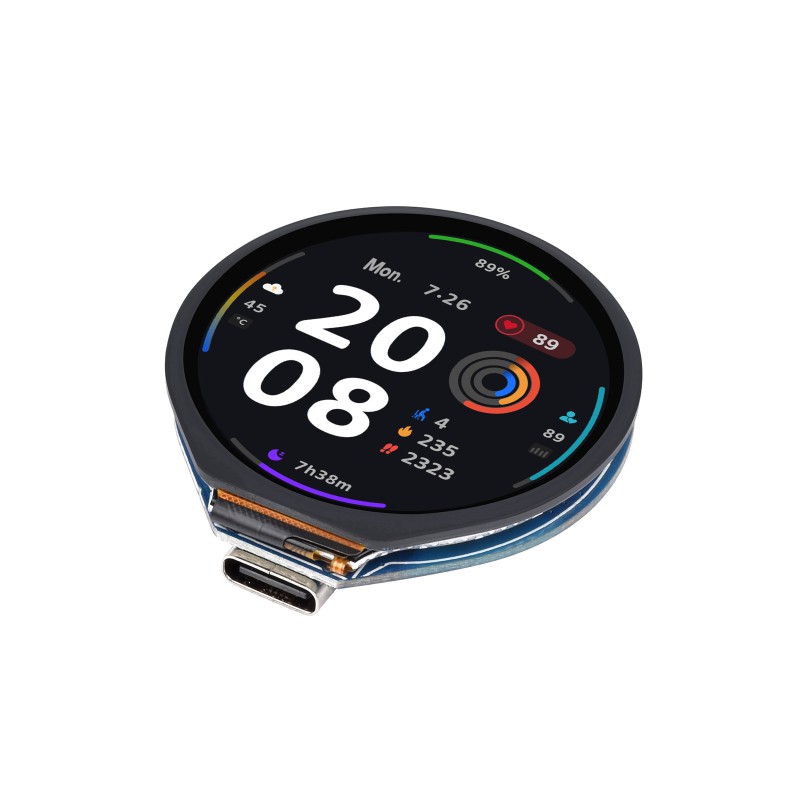
Best DIY smartwatch project. Impressive results on a tiny budget.
A circular 240x240 color LCD display on an ESP32-S3 development board — roughly the shape and size of a smartwatch face. You get the chip, the screen, and a rechargeable battery connector. It comes with nothing else, which is the point: now build whatever watch you want.
This is the cheapest way to go from zero to a working wearable. The ESP32-S3 is a serious chip — it handles WiFi, Bluetooth, and real-time graphics without breaking a sweat. A teen with basic Arduino experience can have a working custom watch face running in an afternoon.
We built a complete DIY smartwatch with this board — step-by-step tutorial, source code included. See the full tutorial here.
What they can build: custom digital watch, crypto price ticker, notification display, pixel art clock, weather station, heart rate monitor (with an add-on sensor).
Who it’s for: Ages 12–17, beginner-to-intermediate coders. Best as a companion gift with a cheap watch strap and the tutorial link printed out.
Be honest: At $20 you’re buying a bare development board, not a finished product. There’s no enclosure, no strap, no step-by-step guide in the box. Pair it with the tutorial or it may sit in a drawer.
Price: ~$20 | Buy the Waveshare ESP32-S3 Round Display
Snap Circuits Jr. SC-100 — ~$25
Best for ages 8–12. Honest: it skews young.
Snap Circuits uses color-coded snap-on components that connect to a plastic grid — no soldering, no breadboard wiring. The SC-100 includes 30 components and 100 projects: FM radio, voice recorder, alarm circuits, light-activated switch.
The key advantage: immediate gratification. Kids snap components together and things actually happen — sounds, lights, a working radio. The cause-and-effect is obvious in a way that breadboard circuits aren’t. It teaches real circuit concepts (series vs. parallel, resistance, capacitance) without requiring any coding.
Who it’s for: Ages 8–12. Maybe 13 if they’ve never touched electronics. If your teen is already doing Arduino or coding classes at school, this will feel too simple.
Be honest: This is genuinely aimed at younger kids. A 14-year-old who sees it under the tree may not be thrilled. Know your audience.
Price: ~$25 | Buy Snap Circuits Jr. SC-100
Under $50
The best value range for teens who are ready to build real projects.
M5Stack Cardputer Adv — ~$30
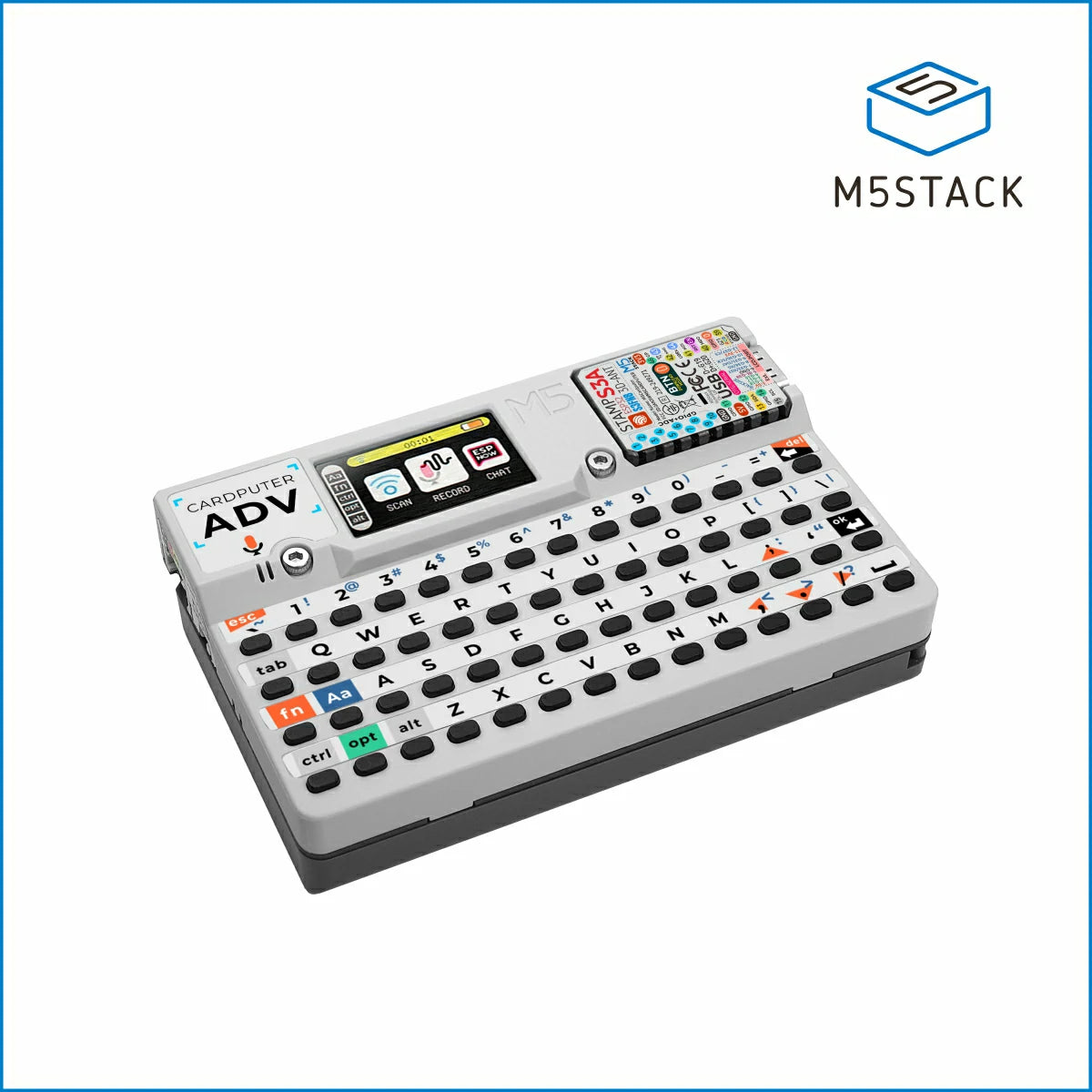
Our top pick. The most unique STEM gift under $50 in 2026.
The Cardputer is a fully assembled pocket computer with a real QWERTY keyboard, a 1.14” color display, built-in WiFi, Bluetooth, a microphone, a speaker, and an RGB LED strip — all in a device the size of a deck of cards. It runs on an ESP32-S3. It ships with its own operating system. It fits in a jeans pocket.
What makes it special isn’t any single spec. It’s that it’s already a finished, functional device. The screen, keyboard, and WiFi are all there — you skip straight to making them do something interesting. The learning curve is about code and logic, not about why your breadboard connection isn’t making contact.
The community around this device is enormous. There are hundreds of open-source projects: WiFi scanners, retro game consoles, AI terminals, Bluetooth remote controls, password managers, and security education tools. New projects appear on GitHub every week.
We’ve reviewed this in depth. Read the full M5Stack Cardputer review.
What they can build: WiFi network scanner, pocket game console, Bluetooth keyboard macro pad, pocket AI terminal, custom IRC-style chat over ESP-NOW (no internet needed), cybersecurity learning tools.
Who it’s for: Ages 12–17. Especially good for teens interested in cybersecurity, hacking (the legal, educational kind), networking, or anyone who just wants something that looks absurdly cool.
Be honest: Requires some coding experience to get the most from it. Total beginners may get frustrated. If they’ve never programmed before, start with the Micro:bit first.
Price: ~$30 (M5Stack official) / ~$35–40 (Amazon) | Buy the M5Stack Cardputer Adv
ELEGOO UNO R3 Super Starter Kit — ~$35
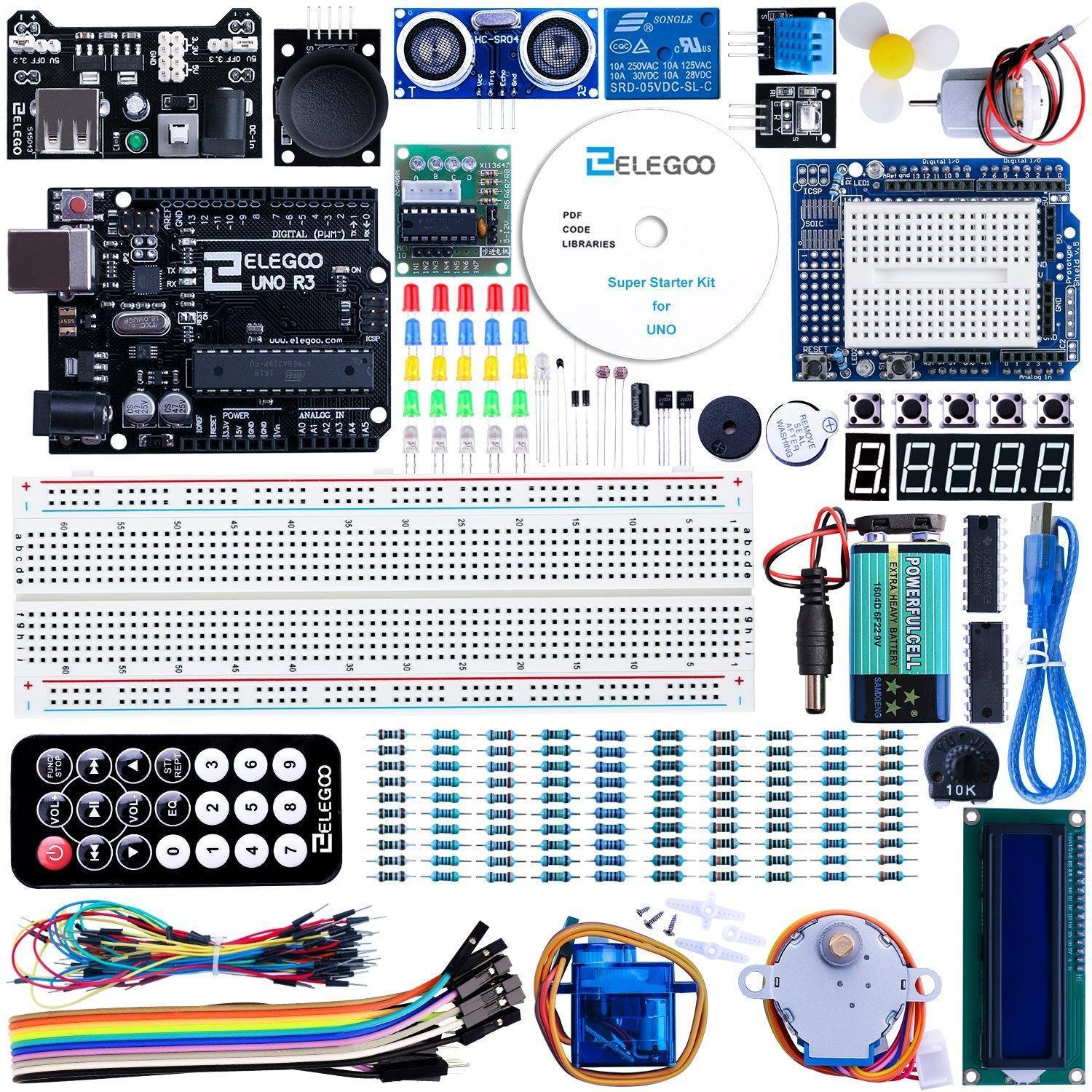
The classic. 16,000+ reviews. Impossible to go wrong.
The ELEGOO UNO R3 is the most-reviewed Arduino starter kit on Amazon, and it earned that position honestly. The kit includes the UNO board, 200+ components, a well-written tutorial book, and 33 structured projects that progress logically from blinking an LED to building a functional alarm system with motion detection.
The components are good quality. The tutorials are clearly written. The Arduino community is massive — every possible question your teen might have already has a StackOverflow answer, a YouTube video, and a forum thread. This is the path of least resistance for learning microcontrollers.
What they can build: LED light shows, digital thermometer, servo-controlled door lock, IR remote control system, LCD display projects, ultrasonic distance meter, traffic light simulator.
Who it’s for: Ages 12–17, absolute beginners. Parents who aren’t sure what to get — this is the safe, reliable, well-documented choice.
Be honest: The jump from the 33 kit projects to “build something I actually want” is real. Many teens complete the tutorials and then get stuck. Pair it with a goal project from day one — something they actually want to build — so it doesn’t just become a completed checklist.
Price: ~$35 | Buy the ELEGOO UNO R3 Super Starter Kit
Freenove Ultimate Starter Kit — ~$50
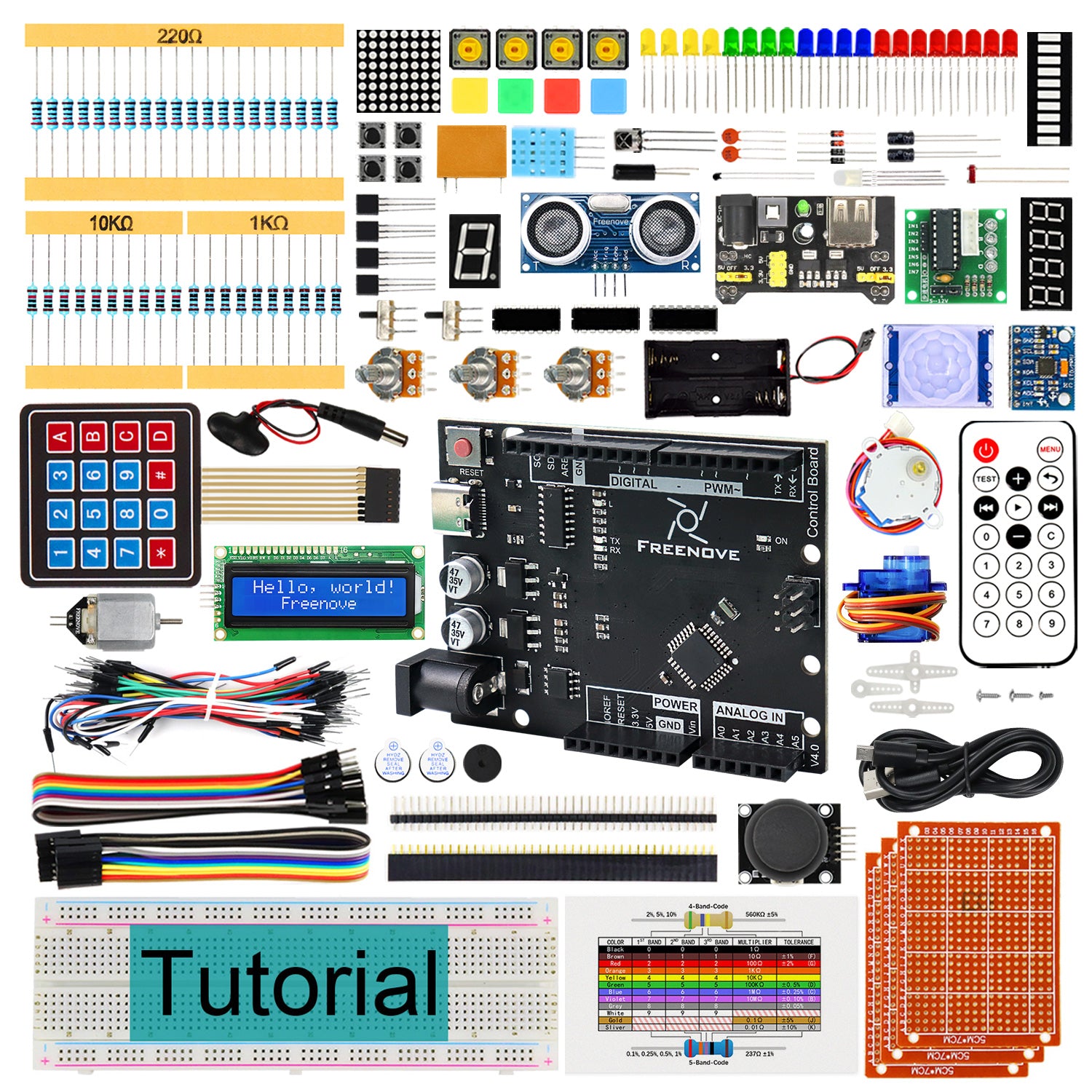
Best for learning depth. 56 projects, the most thorough tutorials in this price range.
The Freenove Ultimate Starter Kit is the most comprehensive beginner kit at this price point. It includes 260+ components, 56 projects, and a 900+ page PDF tutorial that explains every circuit at a level most textbooks don’t bother with. Freenove updates the tutorials regularly and maintains active GitHub support.
Where it stands out over competitors is the depth of explanation. Most kits tell you to wire up component X and run code Y. Freenove explains why the circuit works, what each component is doing, and what happens if you change a value. For a teen who actually wants to understand electronics — not just follow instructions — this is the right choice.
Who it’s for: Ages 13–17, motivated beginners or intermediates who want to go deeper than surface-level projects. Especially good for school science fair prep or teens considering engineering or computer science.
Be honest: At 56 projects it can feel overwhelming. Not a gift for a teen who wants quick results — this rewards patience and curiosity.
Price: ~$50 | Buy the Freenove Ultimate Starter Kit
Under $100
For the teen who’s already shown genuine interest — or when you want a gift that makes an impression.
ELEGOO Smart Robot Car V4 — ~$76
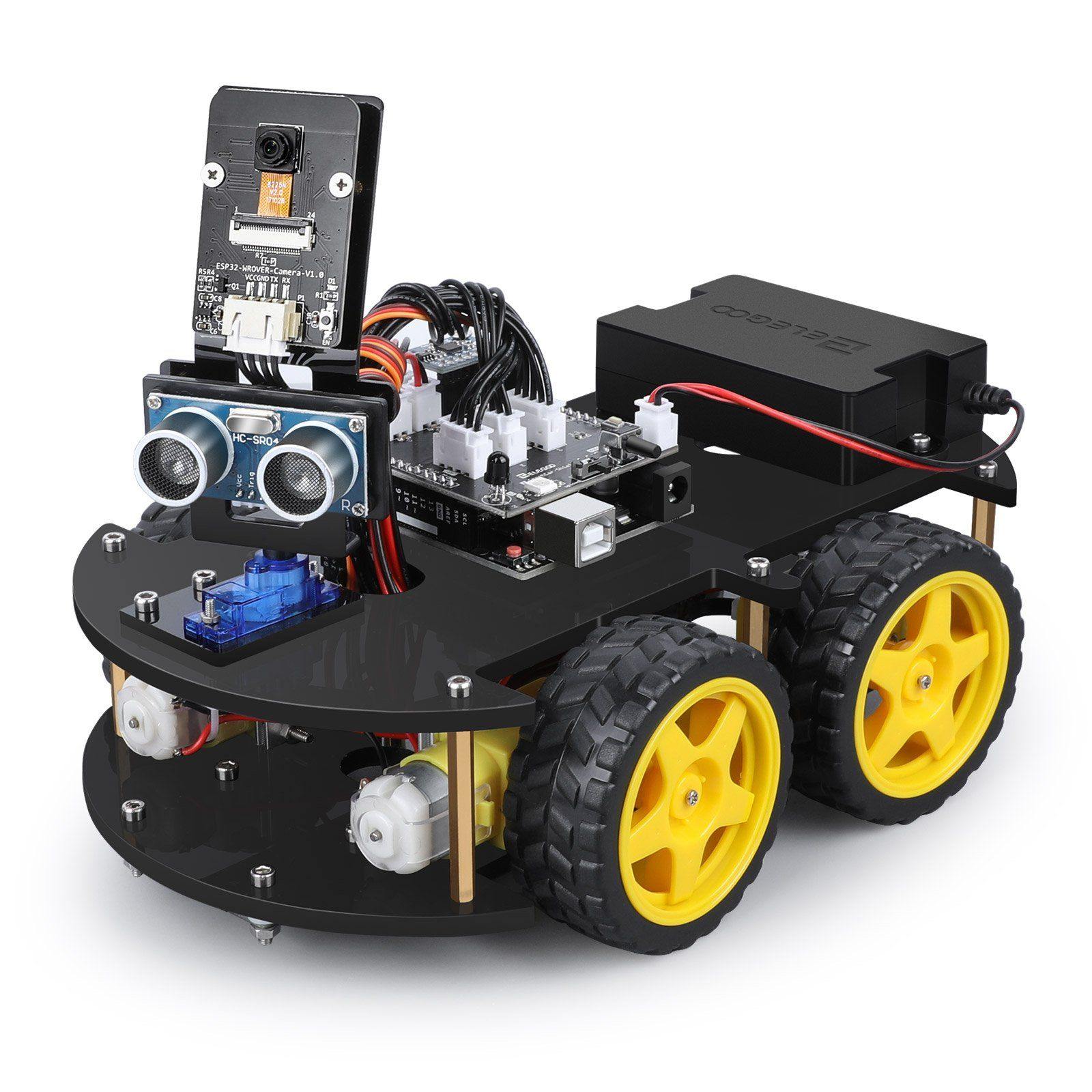
Best wow factor in this guide. It drives, dodges obstacles, and follows lines.
The ELEGOO Smart Robot Car is a fully assembled (after ~2 hours of simple construction) wheeled robot with an ultrasonic obstacle sensor, IR line-following sensors, Bluetooth and infrared remote control, and a tutorial-driven project progression from simple driving to autonomous navigation. It’s the closest thing to a robot you see in movies that you can assemble yourself for under $100.
The car connects to an app on your phone for Bluetooth control. The code runs on a standard Arduino UNO R3 (included). Once they’ve followed the tutorials, the entire codebase is theirs to modify — change the obstacle avoidance behavior, add new sensors, make it follow a custom color.
What they can build on top of it: Camera streaming (add a separate ESP32-CAM module), voice control via Bluetooth commands, autonomous maze solving, servo-mounted arm, or completely custom chassis modifications.
Who it’s for: Ages 12–17. Great for teens who’ve been asking for a robot for years. Also works as a first electronics project — the assembly is part of the learning.
Be honest: The provided tutorials are excellent but finite. After completing them, the next step is custom code — which requires real programming. Without that, some teens may lose interest once the guided projects are done.
Price: ~$76 | Buy the ELEGOO Smart Robot Car V4
Official Arduino Starter Kit — ~$90
Premium gift. Comes with a real project book. Best for serious beginners.
This is Arduino’s own starter kit, made by the people who invented the platform. The difference between this and third-party kits isn’t the hardware — it’s the book. The included 170-page project book is genuinely excellent: well-designed, professionally written, with 15 projects that build on each other to teach programming concepts alongside electronics.
The projects are more interesting than most third-party kits: a crystal ball that responds to tilt, a digital hourglass, a motorized pinwheel, a tone keyboard. They feel like things someone thought hard about rather than a list of “here’s how to use this component.”
Who it’s for: Ages 13–17. The right gift when you know the teen is serious and will put in the time. Also great for a parent and teen to work through together — the book is good enough for that.
Be honest: At $90 you’re mostly paying for the book and the official Arduino branding. The hardware is equivalent to what you get in the $35 ELEGOO kit. If they’re likely to just skim tutorials on YouTube anyway, the ELEGOO is better value.
Price: ~$90 | Buy the Official Arduino Starter Kit
M5Stack CoreS3 SE + Accessories — ~$50–80
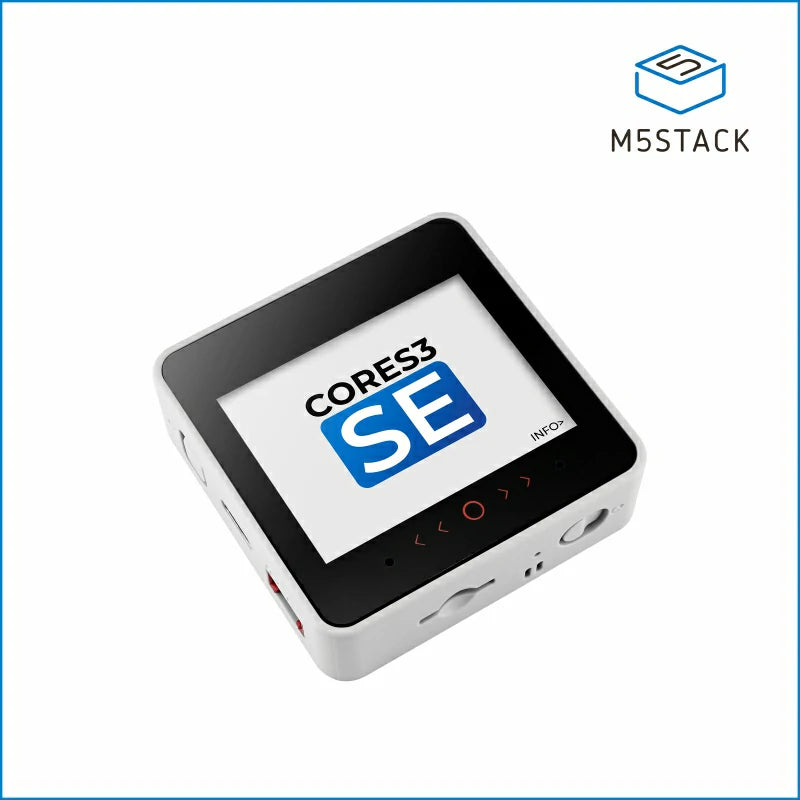
Touchscreen IoT controller. No-code to full Python in a single device.
The CoreS3 SE is a palm-sized device with a 2” IPS touchscreen, built-in camera, microphone, speaker, accelerometer, and WiFi — all in a sturdy plastic enclosure with a magnetic back. It runs UIFlow, a Scratch-like visual programming environment, straight out of the browser. No IDE installation. No drivers. Open a webpage, drag blocks, hit run.
The key advantage: UIFlow has a Python mode. When they’re ready to go beyond blocks, every visual block corresponds to real MicroPython code — they can switch modes and see exactly what their program looks like in Python. It’s one of the smoothest on-ramps to real programming available at this price.
See it in context in our ESP32 gadgets roundup.
What they can build: Smart home dashboard, face-recognizing door sign, Bluetooth game controller, gesture-controlled music player, custom weather station, IoT sensor hub.
Who it’s for: Ages 11–17. Excellent for parents not sure yet how serious the interest is — UIFlow removes all the setup friction that kills momentum in the first week. If they love it, they naturally grow into Python. If they don’t, you haven’t spent $200.
Be honest: The CoreS3 SE base is ~$50, but accessories (sensors, hubs, expansion modules) add up. Budget $70–80 for a complete starter experience.
Price: ~$50–80 depending on accessories | Buy the M5Stack CoreS3 SE
$100+ / Premium
For serious makers — or when the teen has already burned through everything in the lower tiers.
CrunchLabs Hack Pack Subscription — ~$400/year
The best STEM subscription box if they’ll actually engage. Real caveats below.
CrunchLabs sends a new engineering kit every month. Each box contains a physical toy/device and a private video series explaining the engineering behind it. The videos are well-produced and genuinely educational — they cover real physics, mechanical engineering, and electronics concepts, not surface-level “look at this cool thing.”
The quality of the builds is noticeably above other subscription boxes. The components feel like real products. The engineering content is substantive. Teens interested in mechanical engineering, physics, or product design get more out of this than from purely software-focused kits.
We reviewed the Hack Pack in detail. Read the full CrunchLabs Hack Pack review.
Honest pros:
- Monthly boxes maintain ongoing engagement better than a single gift
- Engineering content is genuinely good — teaches real mechanics and physics
- Finished builds are impressive; teens actually keep and use them
- Good fit for teens who don’t know how to code yet but love building physical things
Honest cons:
- $400/year is a significant commitment — test with one box first if possible
- Heavily focused on mechanical/physical builds; limited coding or electronics depth
- Some months are more impressive than others — consistency varies
- If your teen is already deep into Arduino or coding, the programming content may feel too basic
Who it’s for: Ages 10–16, teens who love building physical things, parents who want a gift that keeps arriving rather than a one-time box.
Price: ~$400/year (monthly subscription available) | See CrunchLabs Hack Pack details
3D Printer: Bambu Lab A1 Mini — ~$200
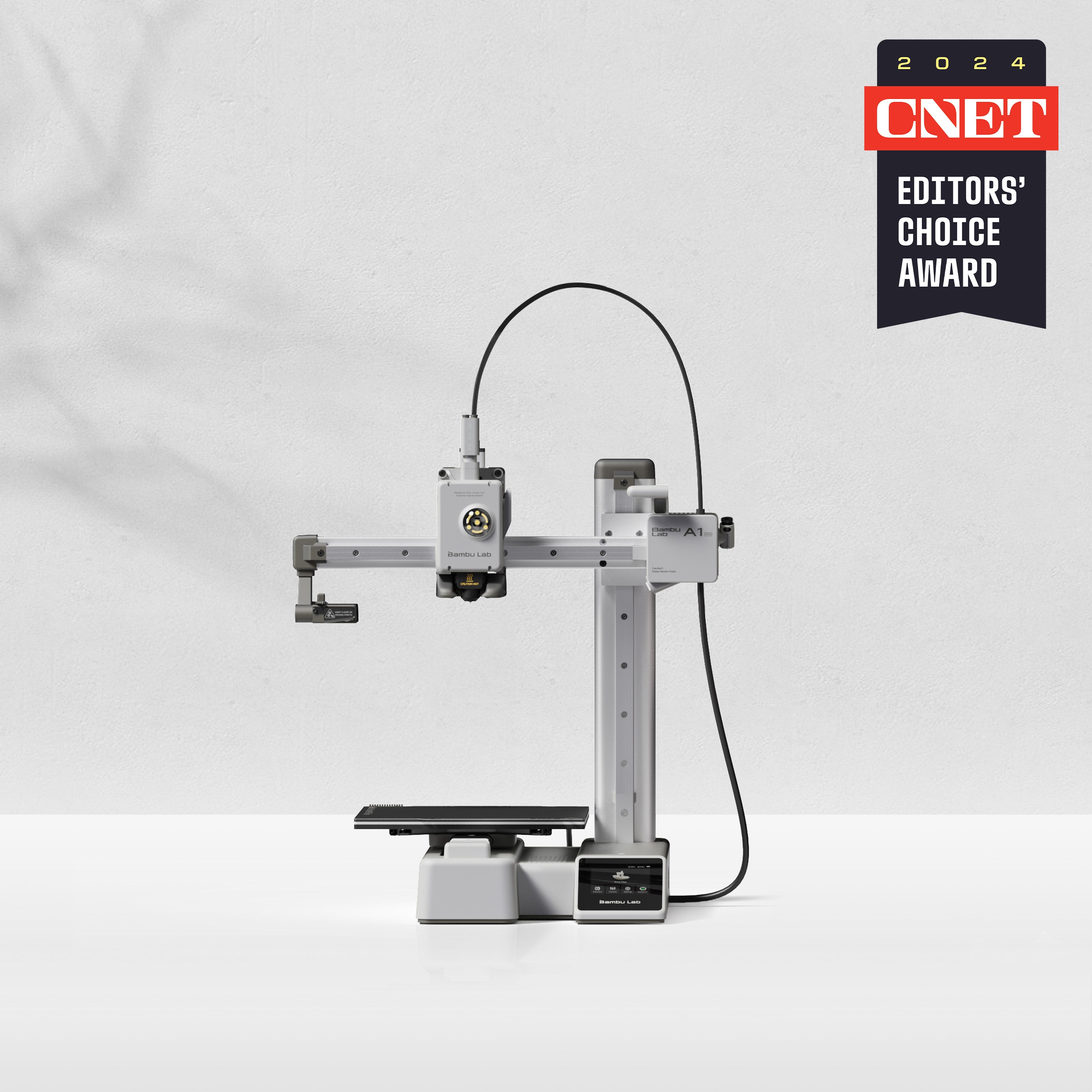
For serious makers. Changes what’s possible.
A 3D printer is less a gift and more a capability upgrade. The Bambu Lab A1 Mini is the right first printer because it works. Calibration is mostly automatic. The software is genuinely intuitive. First prints succeed. That matters enormously — nothing kills enthusiasm faster than a printer that jams, warps, and requires constant tweaking.
The A1 Mini handles PLA and PETG without drama. At 180x180x180mm build volume it’s big enough for most projects and compact enough to sit on a desk. Combined with any of the microcontroller projects on this list, a 3D printer unlocks custom enclosures, sensor mounts, robot chassis parts, and device cases.
What changes with a printer: Every electronics project can now have a real enclosure. Custom cases for the Cardputer. Robot parts that fit exactly. Wall mounts for IoT sensors. Cosplay props. Replacement parts for broken household items. The creative ceiling jumps significantly.
Who it’s for: Ages 14–17, teens who are already making things regularly and keep hitting limits on what they can build. Requires parental involvement for young teens — hot nozzle, hot bed.
Be honest: This is a significant investment and a significant learning curve. Budget another $20–30 for filament. Expect an afternoon of setup. It’s worth it for the right teen — but verify genuine interest before buying.
Price: ~$200 | Buy the Bambu Lab A1 Mini
FAQ
What age is right for Arduino?
Most teens are ready for Arduino at 12–13. That’s the age where the gap between “I understand this instruction” and “I understand why this works” starts to close, which matters for electronics. Below 12, the BBC Micro:bit (with its browser-based drag-and-drop coding) or Snap Circuits is a better fit. Above 12, Arduino is excellent regardless of whether they’ve coded before — the starter kits assume zero prior knowledge.
Age matters less than patience. A curious 11-year-old who likes solving puzzles will do better with Arduino than a distracted 15-year-old who wants instant results. The Micro:bit is the better “instant results” option.
Arduino vs Raspberry Pi for beginners?
For most beginners: Arduino. The reason is scope. An Arduino UNO does one thing at a time, sequentially, in C++. That limitation is actually helpful for learning — you’re not dealing with an operating system, package managers, file permissions, or network configuration. You write code, upload it, and it runs. The feedback loop is tight.
A Raspberry Pi is a full Linux computer. It’s more powerful and more flexible, but that power comes with complexity. Beginners frequently spend more time fighting the operating system than actually building projects. Once a teen has solid Python skills and understands basic programming concepts, the Pi becomes an excellent step up — especially for media projects, home automation, or AI experiments.
Short version: Arduino first, Raspberry Pi when they’ve outgrown it.
Are STEM subscription boxes worth it?
It depends on the teen. Subscription boxes work best when the teen is self-motivated and will actually open each month’s box with enthusiasm. For teens like that, the ongoing engagement is genuinely valuable — it’s hard for a single kit to maintain interest over months.
The risk: a teen who was excited in December may have moved on to something else by March. A subscription is a 12-month commitment. Test with a single month before committing to a year. Most subscription services (including CrunchLabs) offer month-to-month options.
The better ROI for serious makers is often a one-time purchase of a device with a large community (like the Cardputer or an Arduino kit) combined with free online resources — the depth of what they can do is nearly unlimited.
Do I need to know how to solder?
No, not to start. Every pick in the Under $50 tier requires zero soldering. The M5Stack devices, the ELEGOO kits, the Micro:bit — everything connects with USB cables, breadboards, or snap connectors.
Soldering becomes relevant when:
- A component breaks and needs to be repaired
- They want to build something permanent (not just a prototype on a breadboard)
- They’re making a custom PCB or connecting components without header pins
Learning to solder is a valuable skill and most teens pick it up in an afternoon. A basic soldering station costs $15–25 on Amazon. But it’s not a prerequisite for any of the kits on this list.
Comparison Table
| Product | Price | Age | Skill Level | Best For |
|---|---|---|---|---|
| BBC Micro:bit V2 GO Bundle | ~$22 | 10–14 | Absolute beginner | First microcontroller |
| Waveshare ESP32-S3 Round Display | ~$20 | 12–17 | Beginner–mid | DIY smartwatch project |
| Snap Circuits Jr. SC-100 | ~$25 | 8–12 | No code needed | Youngest makers |
| M5Stack Cardputer Adv | ~$30 | 12–17 | Beginner–mid | Hacker/security curious |
| ELEGOO UNO R3 Super Starter Kit | ~$35 | 12–17 | Absolute beginner | Structured learning path |
| Freenove Ultimate Starter Kit | ~$50 | 13–17 | Beginner–mid | Deep learners |
| ELEGOO Smart Robot Car V4 | ~$76 | 12–17 | Beginner–mid | Wants a real robot |
| Official Arduino Starter Kit | ~$90 | 13–17 | Beginner | Premium gift with book |
| M5Stack CoreS3 SE + accessories | ~$50–80 | 11–17 | Beginner | No-code to Python path |
| CrunchLabs Hack Pack (annual) | ~$400/yr | 10–16 | No code needed | Monthly physical builds |
| Bambu Lab A1 Mini | ~$200 | 14–17 | Intermediate | Serious makers |
Our Top Picks by Situation
“I have no idea if they’ll like this” → BBC Micro:bit V2 GO Bundle ($22). Low-cost, high-quality test.
“They’re into tech but I don’t know what to get” → M5Stack Cardputer Adv ($30). The most interesting device at the most reasonable price.
“They want to learn coding properly” → ELEGOO UNO R3 Super Starter Kit ($35) or Freenove Ultimate Starter Kit ($50).
“They’ve been asking for a robot” → ELEGOO Smart Robot Car V4 ($76). Done.
“I want something premium that lasts” → Official Arduino Starter Kit ($90) or Bambu Lab A1 Mini ($200).
“They’re already making stuff and need more” → Bambu Lab A1 Mini ($200).
More From BuildCool
- M5Stack Cardputer Full Review — deep dive on our top pick
- 5 Cool ESP32 Gadgets Under $50 — more picks like the Cardputer
- Build a DIY Smartwatch: Waveshare Round Display Tutorial — step-by-step with code
- Best Arduino Starter Kits for Teens — every kit compared in detail
- CrunchLabs Hack Pack Review — is the subscription worth it?
Prices are approximate and may change. Check current prices through the links above. All products were evaluated based on community feedback, hands-on testing, and research as of October 2026.